
How to Access Your Booking on Harr Travel
Our new website makes it easier than ever to access your booking. All you need is the cruise confirmation number and your last name!
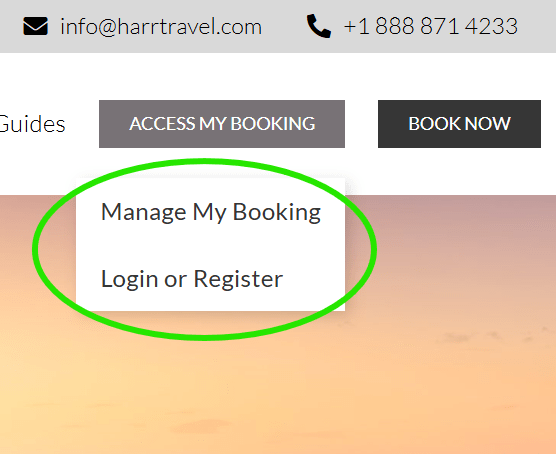
Click on Access My Booking as shown, then on Manage My Booking. From there you will enter your cruise line confirmation number and last name to access your booking details and make your deposit or final payment.
Feeling stuck? Don’t worry about the confirmation number – just call us at 1-888-871-4233 and our team will pull up your account and get you sorted.
Managing an Existing Booking
When you first log in and open your booking or search for it with Manage My Booking, you will be presented with a short trip summary. At the bottom of that screen click View More Details to open your full booking.
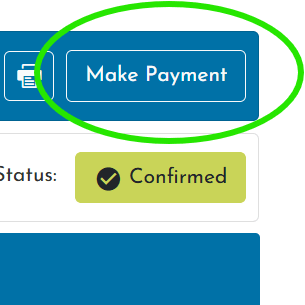
Once in your booking, review your reservation details. To make a payment, in the upper right click Make Payment, then follow the payment prompts.
Need to change a cabin, upgrade, or request a special occasion note for the dining room? Just reply to any email from your advisor or call us directly – changes to an existing booking are always handled by us personally.
We’d Love to Hear From You
Whether you have a quick question or a big trip to plan, a member of our team is ready to help – by phone or by e-mail.
Call or Email Us
1-888-871-4233
info@harrtravel.com
